The unavoidable present of vibe coding
Summer of 2025
So, I’ve been in a self-appointed sabbatical since April 2025, taking a break from work and dedicating time to personal growth and exploration. I’ve had a fair share of time to relax, travel and genuinely disconnect from the daily grind.
In September, I started my third year in the Technical university of Varna university, pursuing a degree in Computer Science. I decided some time ago, that I want to become a teacher, so it was about time that I should get my degree(s). I’ve been away from any programming for months and honestly, I felt a bit rusty.
Getting back to coding
As I got back to my daily habbits, my LinkedIn feed was bursting with posts about AI and how people have been leveraging the power of AI agents for various tasks, but Claude Code stood out as the to-go solution for programming.
At first, it was a bit klunky. I asked it to generate boilerplate code for an elixir application, that I did for a university assignment. The code was… okay. It worked, but it was far from perfect. I had to spend a lot of time fixing bugs and refactoring to make it more efficient and readable.
The more I delved into it, the more I realized that AI agents could be a game-changer for my productivity. So, I decided I’m gonna give it a go and decided to build my own large-scale, enterprise grade applications using AI agents.
The forces of evil
Currently I’m using more than a few different AI systems for various things, here’s my stack:
- Claude Code - for code generation and refactoring. Besides everything, I absolutely love how it generates documentation for my projects.
- GitHub Copilot - for inline code suggestions. It helps me write code faster and with fewer errors.
- ChatGPT-4 - for brainstorming and problem-solving. This is where I do most of my thinking.
- Google Gemini - as a university student, I got a free PRO account for an year. I so far have used it mostly for generating images with nano banana, but I’m sure I’ll find more uses for it in the future.
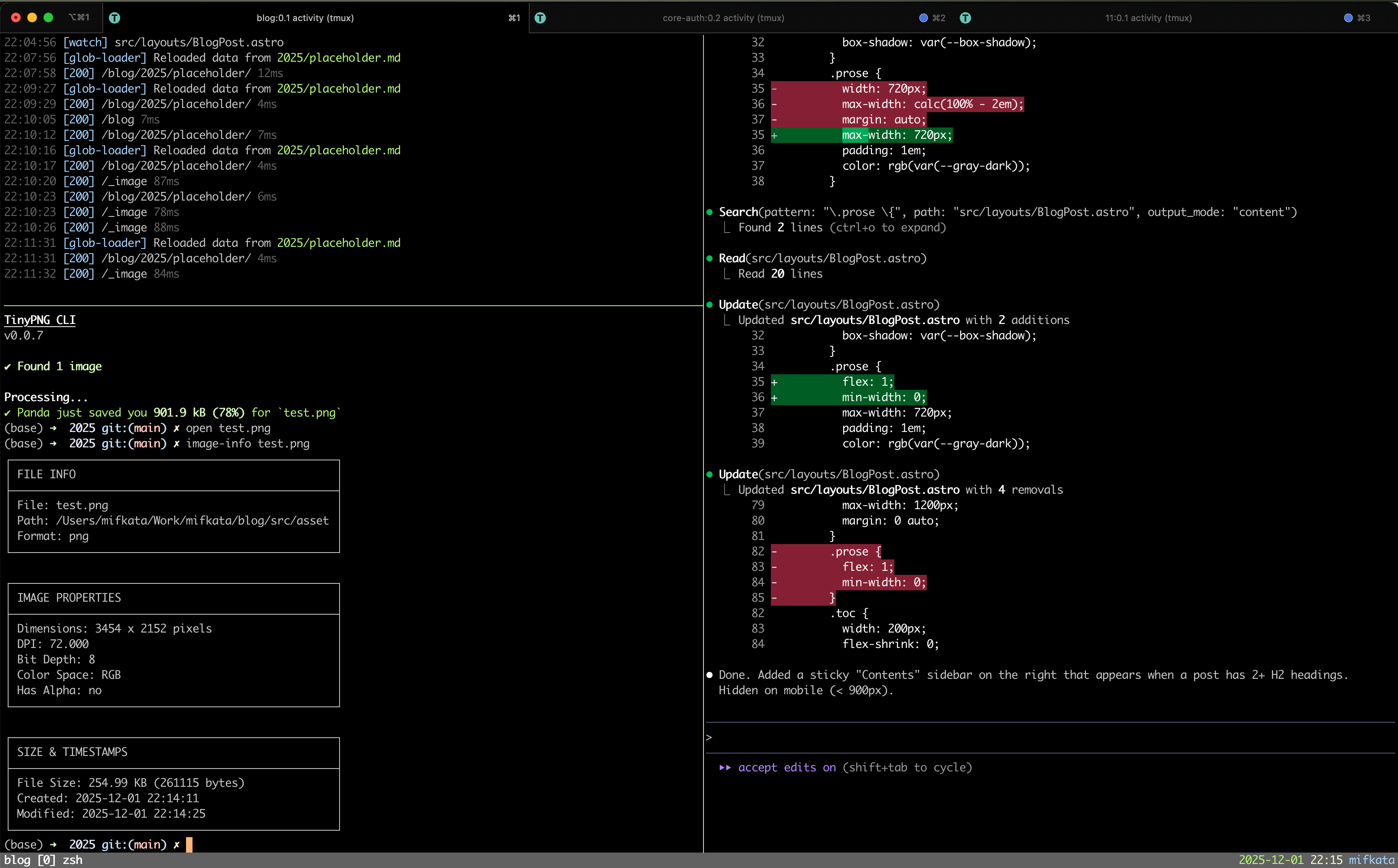
My Mac terminal setup relies on running zsh with oh-my-zsh inside iTerm2 running tmux sessions. This allows me to have multiple panes and windows open, each dedicated to a specific AI agent or task.
The workflow
I’m still in the process of refining my workflow, but here’s a general overview of how I use AI agents in my coding process:
- Research - I createa proejct on ChatGPT and start adding documents to it, as I go, I update the project instructions, so that I get more refined answers and to enhance the general context. As I start more sessions with it, the more context I build for the conversations.
- Code generation - I use Claude Code to generate code one step at a time. I start with the project structure, then move on to individual modules and functions. I provide detailed prompts and examples to guide the AI in generating code that meets my requirements.
- Code review - I make sure to make my tasks as granular as possible, so that I can easily review the generated code, then I ask for specific changes or improvements. This helps me ensure that the code is of high quality and meets my standards.
- Testing - I write unit tests for the generated code, and use AI agents to help me identify edge cases and potential bugs. I also use AI to generate test data and scenarios.
- Documentation - I use Claude Code to generate documentation for the codebase, including API docs, user guides, and code comments.
The results so far
Generating code with AI has been invaluable for my productivity, especially when it comes to generating infrastructure, boilerplate code and documentation. It has allowed me to focus on higher-level design and problem-solving, rather than getting bogged down in the details of coding.
Day-to-day toolkit
In order to get my work done efficiently, I’ve set up a few tools to streamline my workflow:
- iTerm2 - my terminal emulator of choice on macOS. It supports split panes, tabs, and has great integration with tmux.
- tmux - terminal multiplexer that allows me to run multiple terminal sessions within a single window. I have different sessions configured for each of my projects, so I can easily switch between them.
- oh-my-zsh - a framework for managing zsh configuration. It comes with a lot of plugins and themes that make my terminal experience better.
- VSCode - my code editor of choice. It has great support for AI agents through extensions like GitHub Copilot and Claude Code.
- Claude hooks - I have configured Claude hooks to notify me when a task is completed or when it needs my attention. This helps me stay on top of my work and ensures that I don’t miss any important updates.
Final thoughts
I’m still experimenting with my setup and workflow, including, but not limited to:
- PromptHub - a collection of prompts for various AI agents. I’m using it to find inspiration and ideas for my own prompts and to optimize my existing ones.
- Antigravity - the VSCode of Google, which allows you to run multiple agents at the same time. Currently free and quite nice, however, I’m still having better DevEx when using the terminal to split my work, otherwise I get a lot of context switching and I miss a lot of notifications, when the agent is waiting for me to respond.
- ChatGPT Atlas - a version of Chromium, that directly runs searches in ChatGPT. This cuts down on research time, but I’m still getting in the habit of using it.